Game Hub

Party Games

教室とチームのための多人数ビンゴゲーム

定番のビンゴを、ライブのグループ向けに

MindLoop Bingo brings the energy of classic bingo into real-time multiplayer sessions. Each player receives a unique 5×5 card and marks numbers as the host calls them live. First to complete a line wins - but the competition keeps going with second and third places. Designed for classrooms, corporate icebreakers, training sessions, and team events, MindLoop Bingo is easy to start, fast to play, and works with groups of any size. No app download required - players join with a room code from any device. Hosts control the pace, see who has marked what, and watch the leaderboard update in real time. Whether you are warming up a class, running a company event, or hosting a game night, Bingo on MindLoop gives you a structured, engaging format that keeps everyone focused and excited.
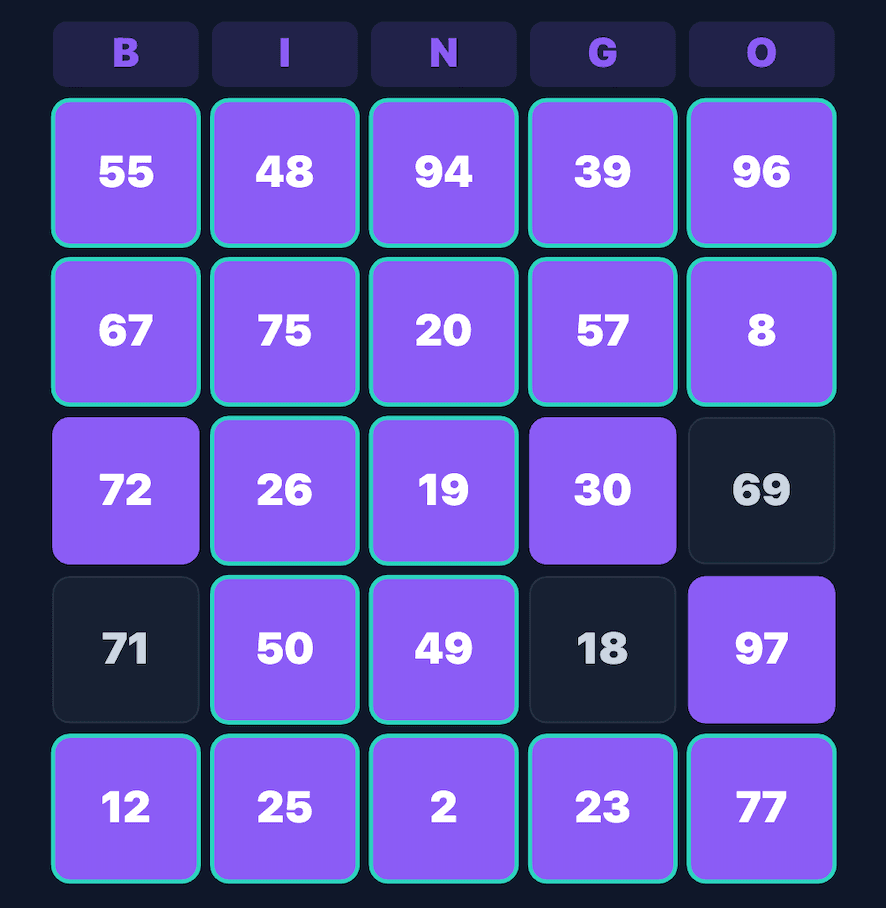
Bingo gameplay on MindLoop

How to Play

  1. 1

    Create a bingo room and share the room code with your group

  2. 2

    Each player joins and receives a unique randomized 5×5 card

  3. 3

    The host calls numbers one by one at their own pace

  4. 4

    Players mark matching numbers on their card

  5. 5

    First player to complete a row, column, or diagonal wins

  6. 6

    Results and rankings are shown at the end of the session

Who is it for?

  • Teachers running classroom icebreakers or review sessions
  • HR teams hosting employee engagement events
  • Online communities and Discord servers
  • Families and friend groups for game nights
  • Event organizers looking for a quick crowd activity

Why Play?

  • Unique cards for every player - no two cards are the same
  • Real-time number calling with live leaderboard
  • No download or account needed for players to join
  • Works on any device - phone, tablet, or laptop
  • Configurable room settings for the host

Frequently Asked Questions

Create a bingo room on MindLoop, share the room code with your class, and start calling numbers. Each student gets a unique card and marks numbers in real time. No account or download is needed for students to participate.

Yes. You can create and host bingo sessions on MindLoop for free. Sign up for an account, create a room, and share the code with your group.

MindLoop Bingo supports multiple players in a single room. It is designed for classroom and team sizes, making it suitable for groups of 5 to 50+ participants.

Bingo cards are randomly generated with unique number layouts for each player to ensure fair play. The host controls the calling pace and session settings.

MindLoop Bingo is designed for structured group sessions - classrooms, teams, events - not casual solo play. It includes a live leaderboard, host controls, real-time marking, and integrates with MindLoop's broader analytics and gamification system.

Yes. Rounds run in a couple of minutes, which makes it a good starter activity, form-time filler or brain break between lessons. It also works as a warm-up before a longer training session.

Yes. It is a common pick for remote and hybrid team building activities, icebreakers before a workshop, and warm-ups at the start of an offsite. Everyone joins from their own device with a room code.

MindLoop is a free alternative that bundles live bingo rounds with question banks, assignments and long-term analytics in one place. Where Kahoot and Quizizz focus on one-off quiz rounds, MindLoop keeps a persistent workspace for your school, college batch or team, so progress carries across sessions instead of resetting every time.

学びを次のレベルへ進める準備はできましたか?

無料アカウントを作成して、数分で魅力的なゲームセッションを始めましょう。